

Framework Compliance & Gap Analysis
Upload and map regulatory frameworks to your internal policies to find coverage gaps.
| FR | What it is |
|---|---|
| FR2 | Upload and map frameworks to find gaps |
| FR3 | Manage a regulation and its amendments over time |
| FR4 | Verify policies cover a new regulation |
| FR5 | Compare regulations to surface overlaps |
| FR6 | Classify each obligation as mandatory or optional |
| FR7 | Periodic (annual) NIST / ISO 27001 gap analysis |
| FR7-ITSCM | Dedicated ITSCM / continuity gap analysis |
FR2 · Adopting a regulation
Upload your company policies into the Document Hub.
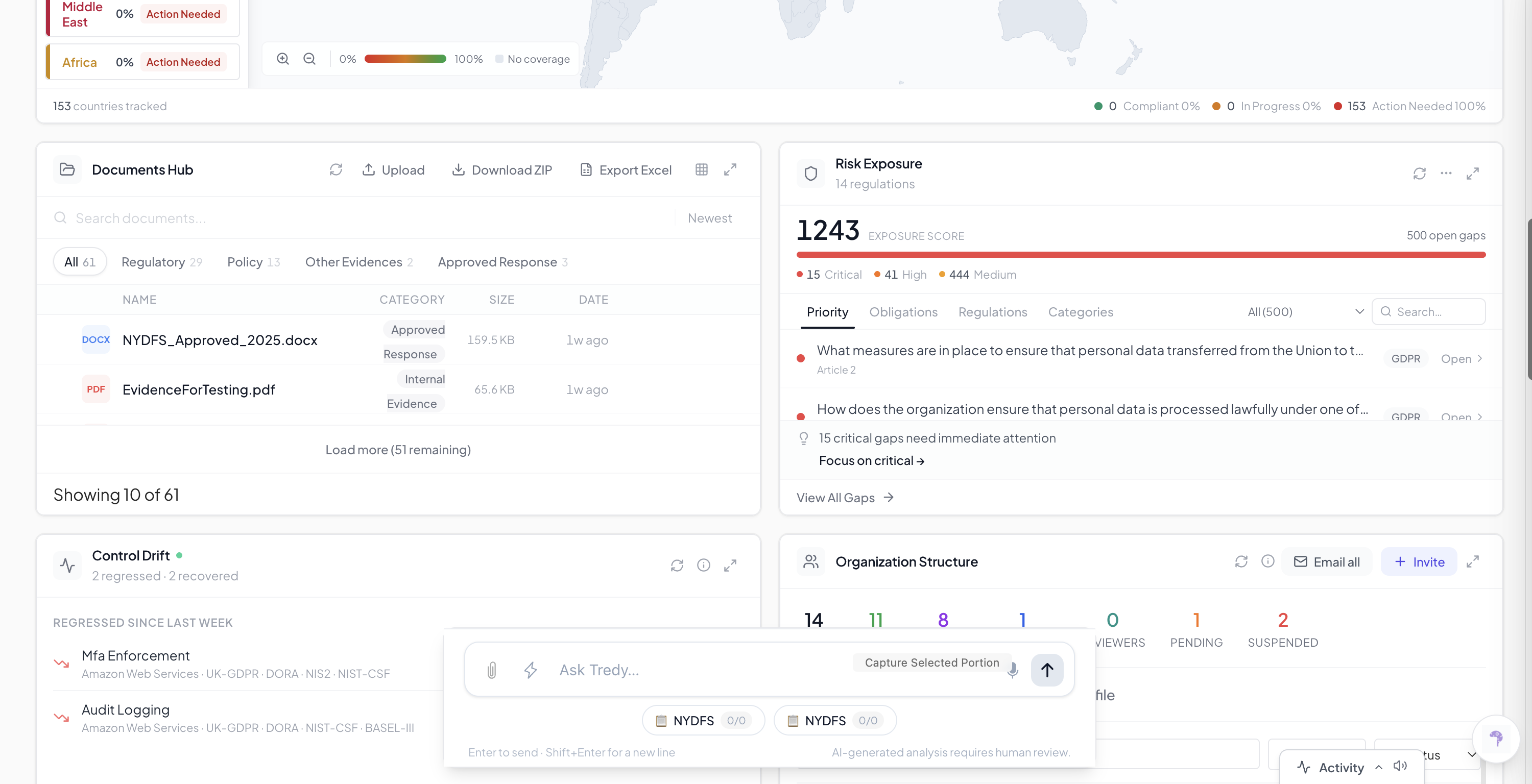
Open the regulation library.
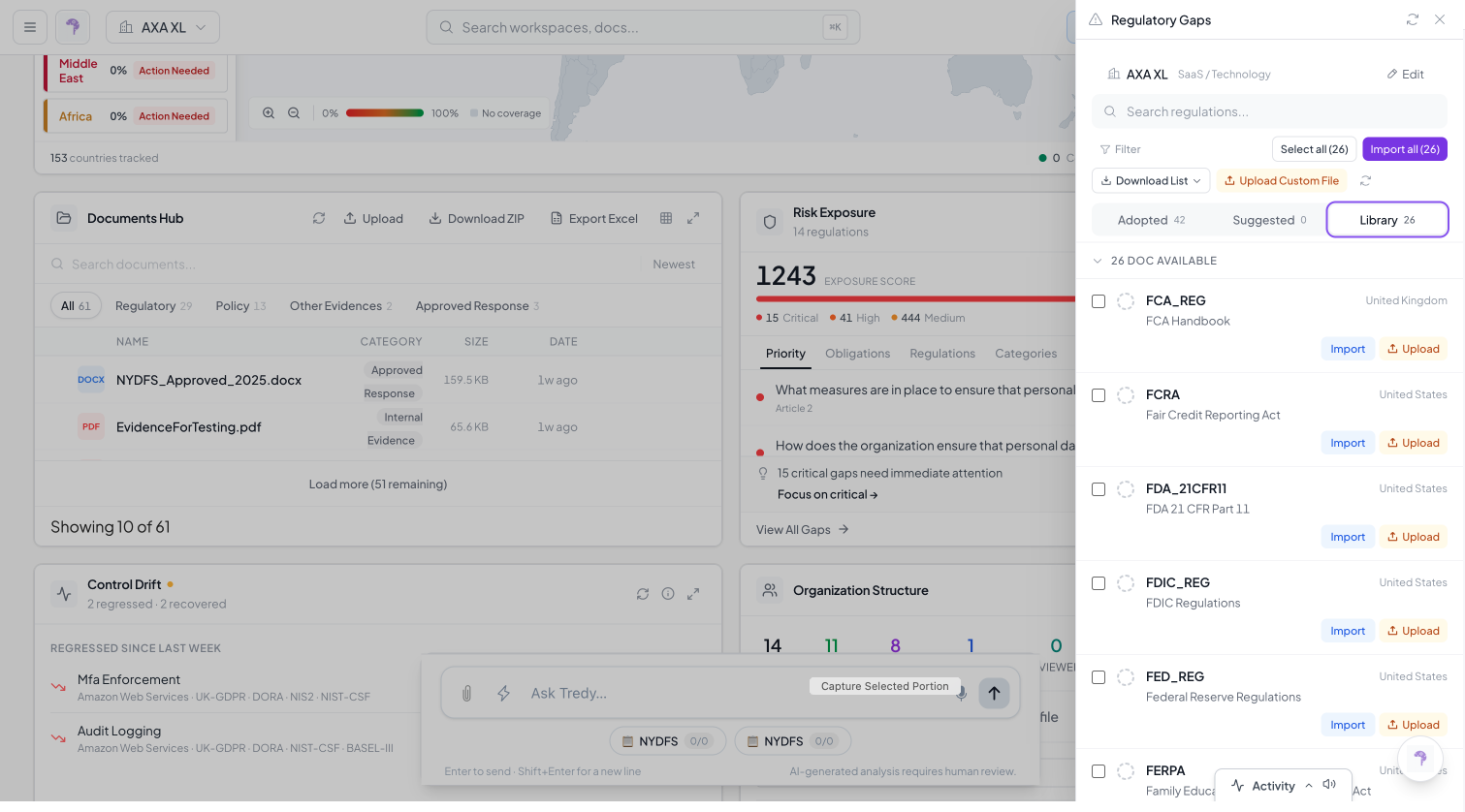
If the framework is already there, click Adopt.
If it is not there, click Upload and add the PDF/DOCX.
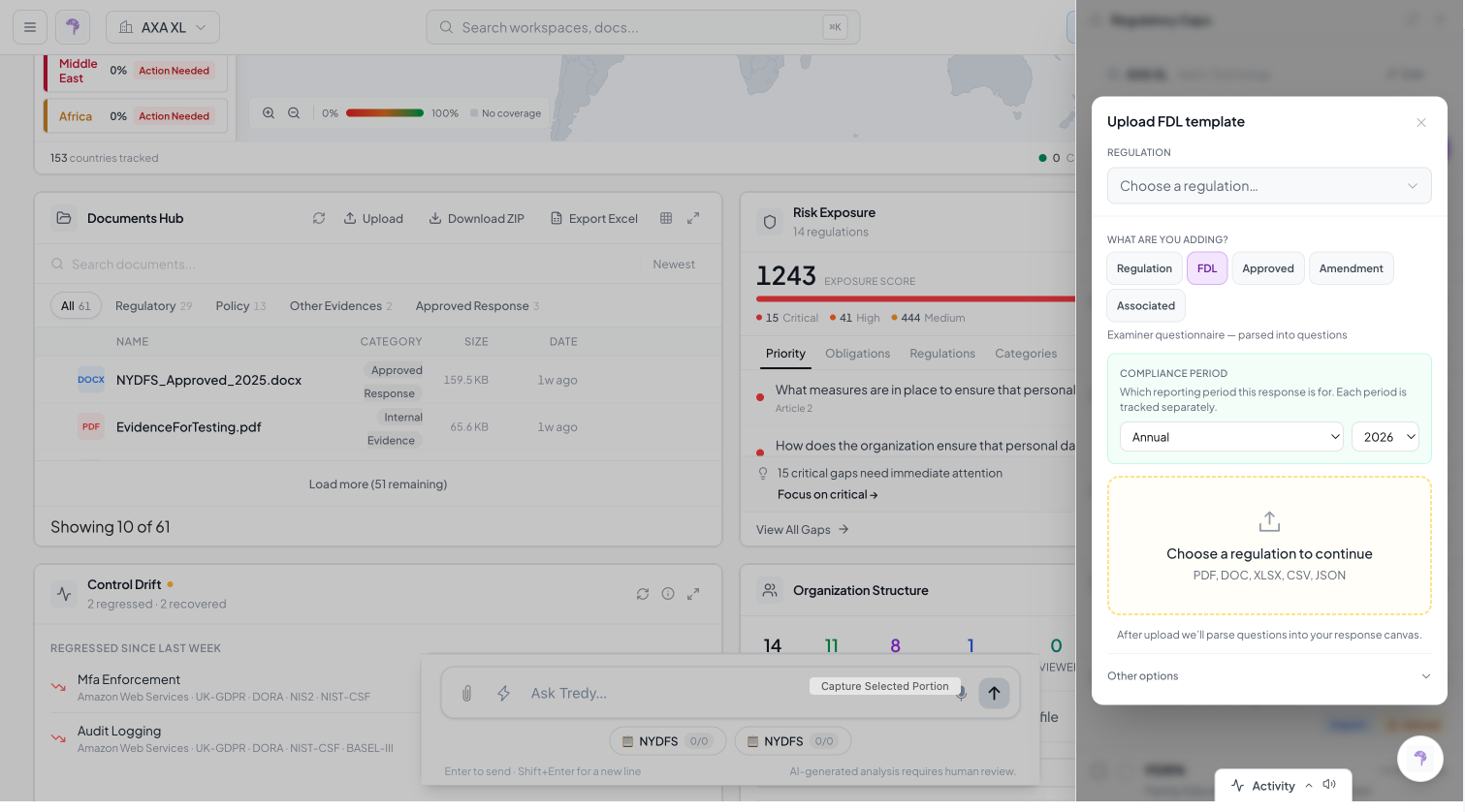
Click Generate Questions / Analyze.
Click Analyze All, and the system checks your policies against the rules.
Which frameworks (FR2 list). The capability is framework-agnostic — any of these can be adopted from the library or uploaded as a document:
- Americas — ITAR/EAR, EO 14117, CFIUS LOA, SACA, HIPAA, NYDFS Part 500, Delaware Insurance Act, California CCPA, CPRA, Illinois BIPA, Connecticut Data Security, Connecticut Data Privacy, FINRA / GLBA, Louisiana Cyber Regulation (US); OSFI B-13, Quebec ICT RMF, QCCPA, PIPEDA (Canada); BMA Solvency Assessment, BMA Risk Management Assessment (Bermuda); SUSEP 638, Brazil LGPD (Brazil).
- Europe — SWIFT, AXA GO Security Requirements, Airbus/Thales Contract Requirements (FR), EU DORA, EU GDPR, EIOPA Solvency II, EU FIDA, UK FCA / PRA, UK Cyber Essentials, Lloyd’s MS 311, UK Data Protection Act, Switzerland FINMA Notices, Central Bank of Ireland (CBI).
- National under EU — Ireland, France, Germany, Italy, Spain.
- APAC — Australia CPS 234, Australia CPS 230, and further APAC regulations.
FR3 · Manage a regulation and its amendments
Open an adopted regulation to see its detail drawer.
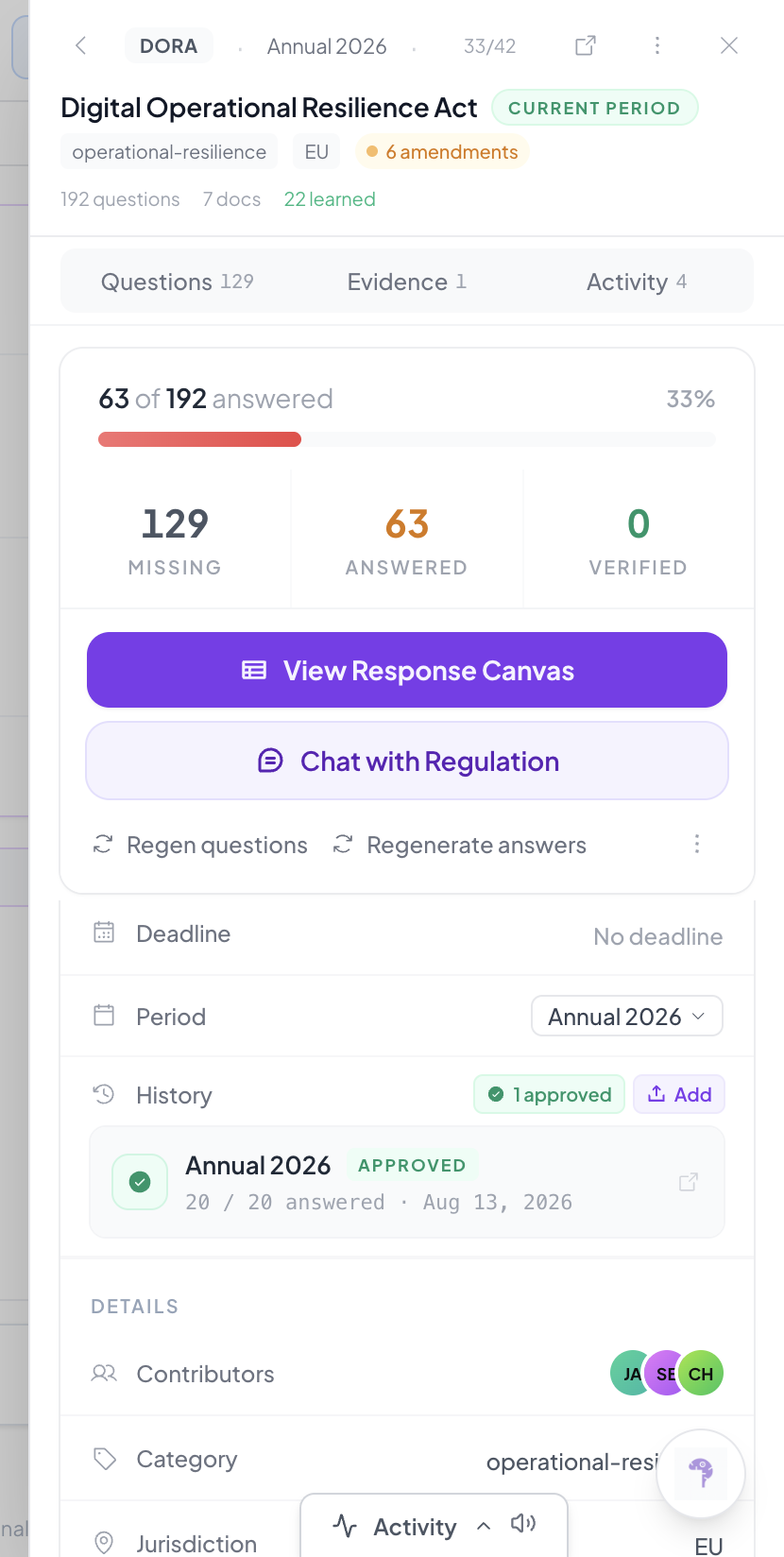
Review the amendments attached to the regulation.
Add, update, or re-scope the regulation as its text changes.
Use the History / approval status to track its review state.
FR4 · Verify policies cover a new regulation
Make sure your policies are in the Document Hub.
Upload the new regulation.
Generate questions.
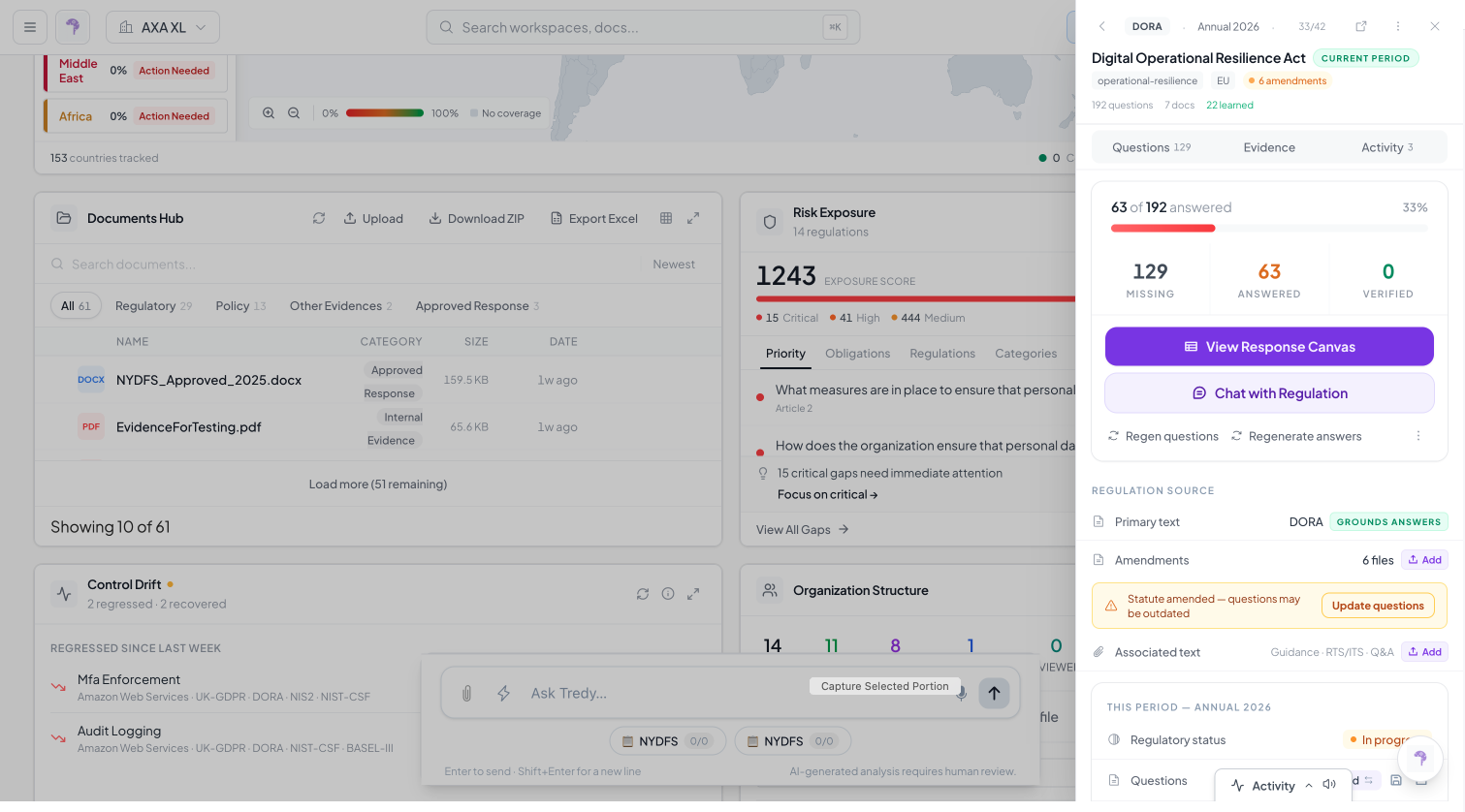
Run Analyze All.
Anything left Unanswered is not covered by your current policies.
FR5 · Compare regulations to surface overlaps
Adopt more than one related regulation.
Open Obligations or the Compliance Map.
Check shared obligations / Conflicts.
In a workspace, use Chat with Regulation to ask the AI to compare regulations.
FR6 · Classify each obligation as mandatory or optional
Open the regulation’s Response Canvas.
For each response, set its classification to Mandatory or Optional.
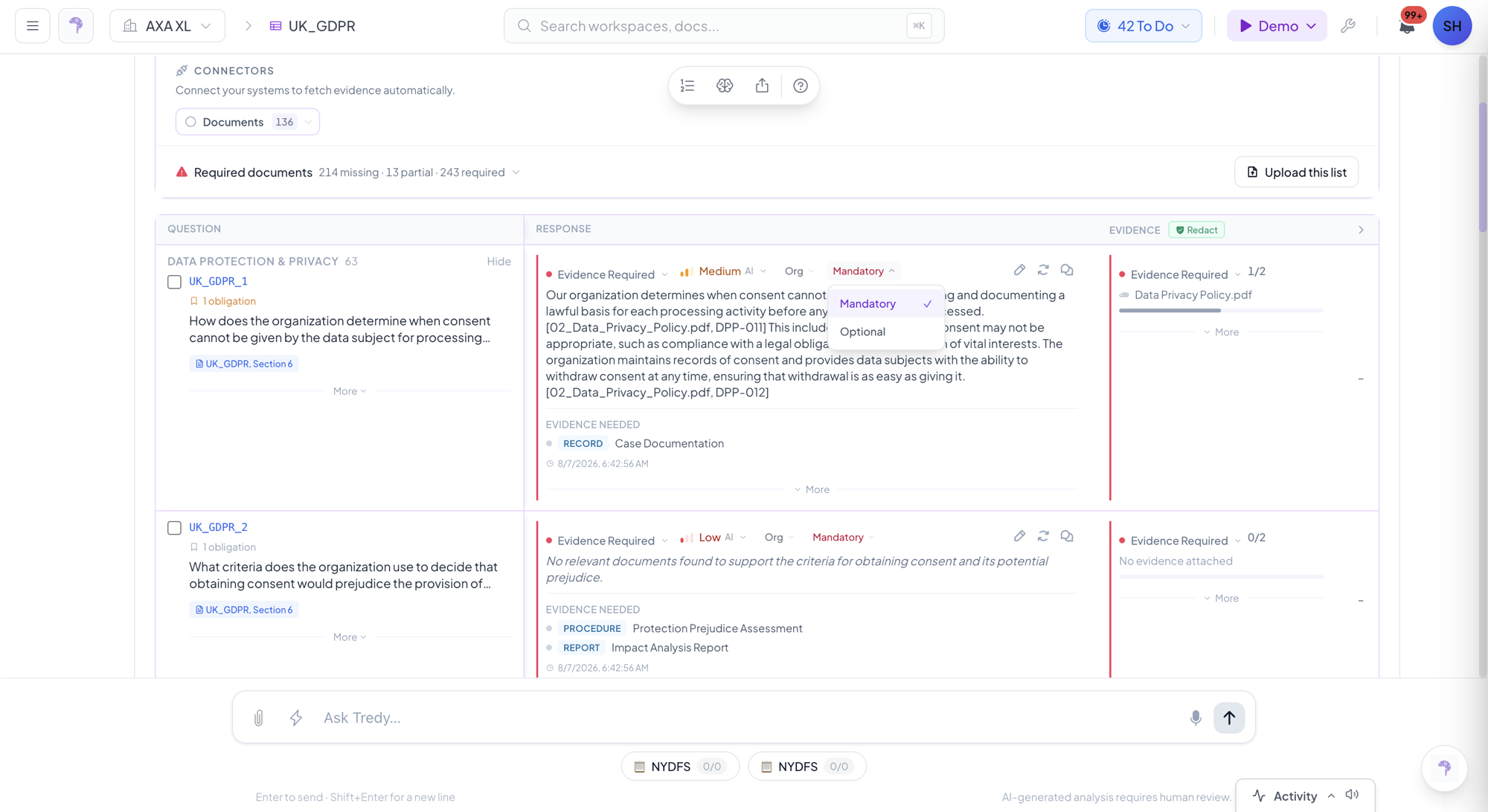
Use the classification to prioritise which gaps to close first.
FR7 · Periodic NIST / ISO 27001 gap analysis
Adopt NIST or ISO 27001 (or upload the PDF).
Keep policies in the Document Hub.
Set the review Period (for example, Annual 2026).
Run Analyze All.
Review Unanswered gaps.
Export the result, and repeat every year.